Automate the process of converting YouTube video content into Medium articles 🎥📝
This program not only converts video transcripts extremely well into beautiful, SEO-optimized articles with images and captions, but also removes any "transcript-like" writing. It produces a real, professional article from a video instead.
- ⚙️ Requirements
- 📦 Installation
- 🪄 Usage
- 📖 Compile articles into a book
- 🛠️ Configuration
- 🎬 Demo
- 👨🍳 Who is the creator?
- 🤝 Contributing
⚠️ Disclaimer- ⚖️ License

- Python v3.7 or higher 🐍
- A Google account with YouTube API access 🎬
- An OpenAI API key 🧠
- A Medium account with an integration token ✍️
-
Clone this repository:
git clone https://github.com/pH-7/youtube-to-medium-blog-posts-automation.git &&
cd youtube-to-medium-blog-posts-automation
-
Create and activate a virtual environment (recommended on macOS and other systems to avoid conflicts with system-managed Python installations; PEP 668 prevents modifying these environments directly):
python3 -m venv .venv && source .venv/bin/activate -
Install the required Python packages:
pip install -r requirements.txt -
Set up your configuration file:
-
Create a file named
config.jsonin the project root directory -
Add your API keys and YouTube Channel ID to the file as followed:
{
  "PUBLISH_PLATFORMS": ["medium"], // Platforms to publish to

  "MEDIUM_ACCESS_TOKEN": "YOUR_MEDIUM_ACCESS_TOKEN",
  "MEDIUM_EN_PUBLICATION_ID": "OPTIONAL_ENGLISH_PUBLICATION_ID",
  "MEDIUM_FR_PUBLICATION_ID": "OPTIONAL_FRENCH_PUBLICATION_ID",
  "MEDIUM_TECH_PUBLICATION_ID": "OPTIONAL_TECH_PUBLICATION_ID",
  "POST_TO_PUBLICATION": true, // Whenever we want the post to be published to a specified Medium's publication ID or not

  "OPENAI_API_KEY": "YOUR_OPENAI_API_KEY",
  "OPENAI_MODEL": "gpt-4.1", // non-reasoning models like "gpt-4.1", "gpt-4.1-mini"
  "UNSPLASH_ACCESS_KEY": "YOUR_UNSPLASH_KEY",
  "PUBLISH_STATUS": "draft", // "draft" or "publish"

  // Niche configurations
  "NICHES": {
    "self-help": {
      "YOUTUBE_CHANNEL_ID": "YOUR_SELF_HELP_CHANNEL_ID",
      "SOURCE_LANGUAGE": "fr",
      "OUTPUT_LANGUAGES": ["en", "fr"],
      "UNSPLASH_PREFERRED_PHOTOGRAPHER": "pierrehenry", // Optional. Mention a preferred Unsplash photographer (e.g. pierrehenry)
      "ARTICLES_BASE_DIR": "articles"
    },
    "tech": {
      "YOUTUBE_CHANNEL_ID": "YOUR_TECH_CHANNEL_ID",
      "SOURCE_LANGUAGE": "en",
      "OUTPUT_LANGUAGES": ["en"],
      "UNSPLASH_PREFERRED_PHOTOGRAPHER": null,
      "ARTICLES_BASE_DIR": "articles/tech"
    }
  },

  // Active niche to process ("self-help" or "tech" or "all")
  "ACTIVE_NICHE": "all",

  // Optional: compile saved articles into books (see "Compile articles into a book")
  "BOOK": {
    "AUTHOR": "Your Name",
    "OUTPUT_DIR": "books",
    "FORMATS": ["epub", "pdf"], // "epub", "pdf", or both
    "PAGE_SIZE": "6in 9in", // KDP trim size for the PDF interior
    "EMBED_IMAGES": true,
    "MIN_PAGES": 90, // aim for a book of at least this many pages
    "MAX_PAGES": 110, // ...and at most this many
    "WORDS_PER_PAGE": 250, // used to estimate the page count
    "RIGHTS": "Copyright © 2026 Your Name. All rights reserved.",
    "COLLECTIONS": [
      {
        "title": "The Productivity System",
        "subtitle": "Focused work, less overwhelm",
        "source_dir": "articles",
        "language": "en",
        "topics": ["productivity", "time management", "focus"]
      }
    ]
  }
}
Publishing:
- Set
PUBLISH_PLATFORMSto["medium"]. - Medium receives HTML for reliable kicker, subtitle and image captions.
- Medium is only used when its credentials are present; otherwise it is skipped with a clear message.
PUBLISH_STATUS("draft"or"publish") is honoured.- The published URL is recorded in the saved article's Markdown metadata.
Multi-Niche Support:
- The script now supports multiple content niches (self-help and tech)
- Each niche has its own YouTube channel, languages, and custom prompts
- Set
ACTIVE_NICHEto"all","self-help", or"tech"to control which niches to process - Tech niche is optimized for "NextGen Dev: AI & Code" technical content
Alternatively, you can refer to
example.config.jsonin the project. - Set
-
-
Set up YouTube API credentials:
- Go to the Google Developers Console
- Create a new project and enable the YouTube Data API v3
- Create credentials (OAuth 2.0 Client ID) for a desktop application. Select External for Use Type
- Download the client configuration and save it as
client_secrets.jsonin the project root directory
-
Lastly, get your Unsplash Access Key at https://unsplash.com/oauth/applications/new
To run the script, use the following command in the project root directory:
python transform-youtube-videos-to-medium-posts.pySelecting which niche to process:
- Edit
ACTIVE_NICHEinconfig.json:"all"- processes all configured niches"self-help"- processes only self-help niche"tech"- processes only tech niche
The script will:
- Fetch recent videos from your YouTube channel(s)
- Transcribe each video
- Generate an exceptional well-written article for each video transcript
- Create 5 most relevant tags for the article
- Generate an engaging article title
- Fetch relevant images from Unsplash for the article (one for article header, and 1-2 for content)
- Embed a few images in the article content using Medium-compatible Markdown format.
- Publish the article to Medium with correctly formatted HTML
- Save the generated article locally as a Markdown file, so you always keep a copy, with article's details (incl. the Medium URL) in a markdown yaml-like metadata
- Clearly mentioning any issues for each publishing step till the end, right in the terminal
- Automatically wait a few minutes (for each iteration) before publishing a new article to Medium, to prevent being wrongly flagged as spam
- Sit and relax. Enjoy the work!
Note: The script posts articles as drafts by default. To change this, modify the PUBLISH_STATUS to "publish" in the config.json file.
Once you have a folder of generated articles, you can bundle them into a polished, ready-to-publish EPUB/PDF book — perfect for Amazon KDP, Apple Books, Kobo, or simply sharing a PDF.
python transform-youtube-videos-to-medium-posts.py --make-bookEach book is curated around one coherent topic and trimmed to a target page count (e.g. 90-110 pages), so every volume reads like a real, focused book rather than a dump of every article.
Not sure which topics you have enough material for? List them first:
python transform-youtube-videos-to-medium-posts.py --list-topicsThen compile the books defined in your config.json:
python transform-youtube-videos-to-medium-posts.py --make-bookThis reads the optional BOOK section of config.json and produces one book per entry in COLLECTIONS:
| Option | Description |
|---|---|
AUTHOR |
Author name written into the book metadata and title page. |
OUTPUT_DIR |
Where the generated .epub/.pdf files are written (default books). |
FORMATS |
Any of "epub", "pdf" (default both). |
PAGE_SIZE |
PDF trim size, e.g. "6in 9in" (a common KDP paperback size). |
EMBED_IMAGES |
Download and embed article images so the book is self-contained. |
MIN_PAGES / MAX_PAGES |
Target page range; chapters are added until the range is reached. |
WORDS_PER_PAGE |
Words-per-page used to estimate length (default 250, calibrated for 6x9in). |
RIGHTS |
Copyright-page text (a sensible default is generated when omitted). |
COLLECTIONS |
One book per entry (see below). |
Each collection supports: title, subtitle, source_dir, topics (tags that define the book's subject), exclude_topics, match ("any" or "all"), min_pages, max_pages, max_chapters, words_per_page, language, recursive, cover_image, page_size, embed_images, and rights.
If COLLECTIONS is omitted, one book is compiled per configured niche using its ARTICLES_BASE_DIR.
How chapters are built:
- Each Markdown article becomes one chapter, titled from its
optimized_titlemetadata. - Duplicate articles (e.g. accented vs. un-accented file names) are removed automatically.
- Only chapters whose tags match the collection's
topicsare included, so the book stays on one accurate subject. - Chapters are ordered chronologically (oldest first) and added until the
MIN_PAGES/MAX_PAGESrange is met; the estimated page count is printed as it compiles. - Unpublished drafts (
not_published_*) are skipped. - Blog-only bits (embedded YouTube videos, the leading kicker line, the trailing "listen to my podcast / join my mailing list" promo) are stripped; images and their captions are kept as proper figures.
- Both formats get a title page and a copyright page; the PDF also gets a table of contents with page numbers and page numbering, ready for Amazon KDP.
About PDF generation: the EPUB exporter is pure Python and always works. The PDF exporter uses weasyprint, which needs native libraries. On macOS:
brew install pango
pip install weasyprint
If weasyprint is unavailable, the PDF step is skipped with a clear message and the EPUB is still produced.
🙃 Enjoying this project? Offer me a coffee (spoiler alert: I love almond flat white 😋)

You can modify the following in the script:
- The number of videos to process (change
maxResultsin ``get_videos_pagefunctio, which is declared inget_channel_videos`) - The length of the generated article (change
max_tokensingenerate_articlefunction) - The number of tags to generate (modify the prompt in
generate_tagsfunction)
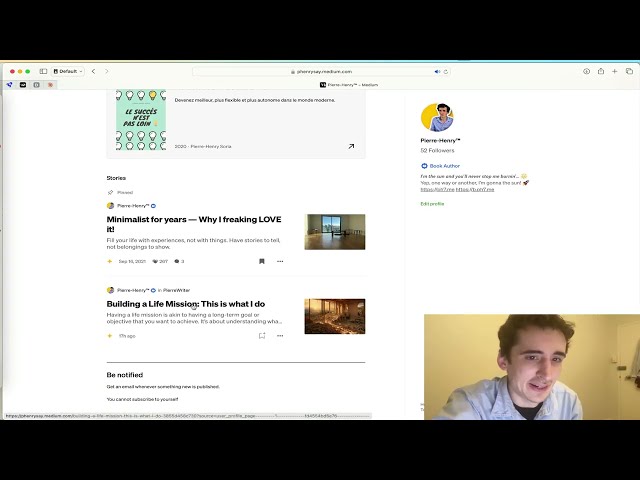
See the script in action with these demonstration videos:
Articles conversion in French language
generating-french-blog-post-medium-articles-output-from-youyube-video-transcripts.mp4
Article conversion from English videos
demo-turn-videos-to-medium-posts.mp4

Pierre-Henry Soria. A super passionate engineer who loves automating efficiently content creation! 🚀 Enthusiast for YouTube, AI, learning, and writing of course! 😊 Find me at pH7.me 💫
☕️ Enjoying this project? Offer me a coffee (spoiler alert: I love almond flat white 😋)




Please keep in mind that this Videos to (Medium) Posts Converter project is for educational purposes only. Ensure you always comply with YouTube's terms of service and Medium's API usage guidelines and policy when using this script.
YouTube to Medium Automation script is generously distributed under the MIT License 🎉 Enjoy!