
Open-source finance terminal. Fast, keyboard-driven, and extensible.
Desktop app for macOS and Windows. Terminal UI for macOS, Linux, and Windows.
Download desktop · Install the TUI · 简体中文
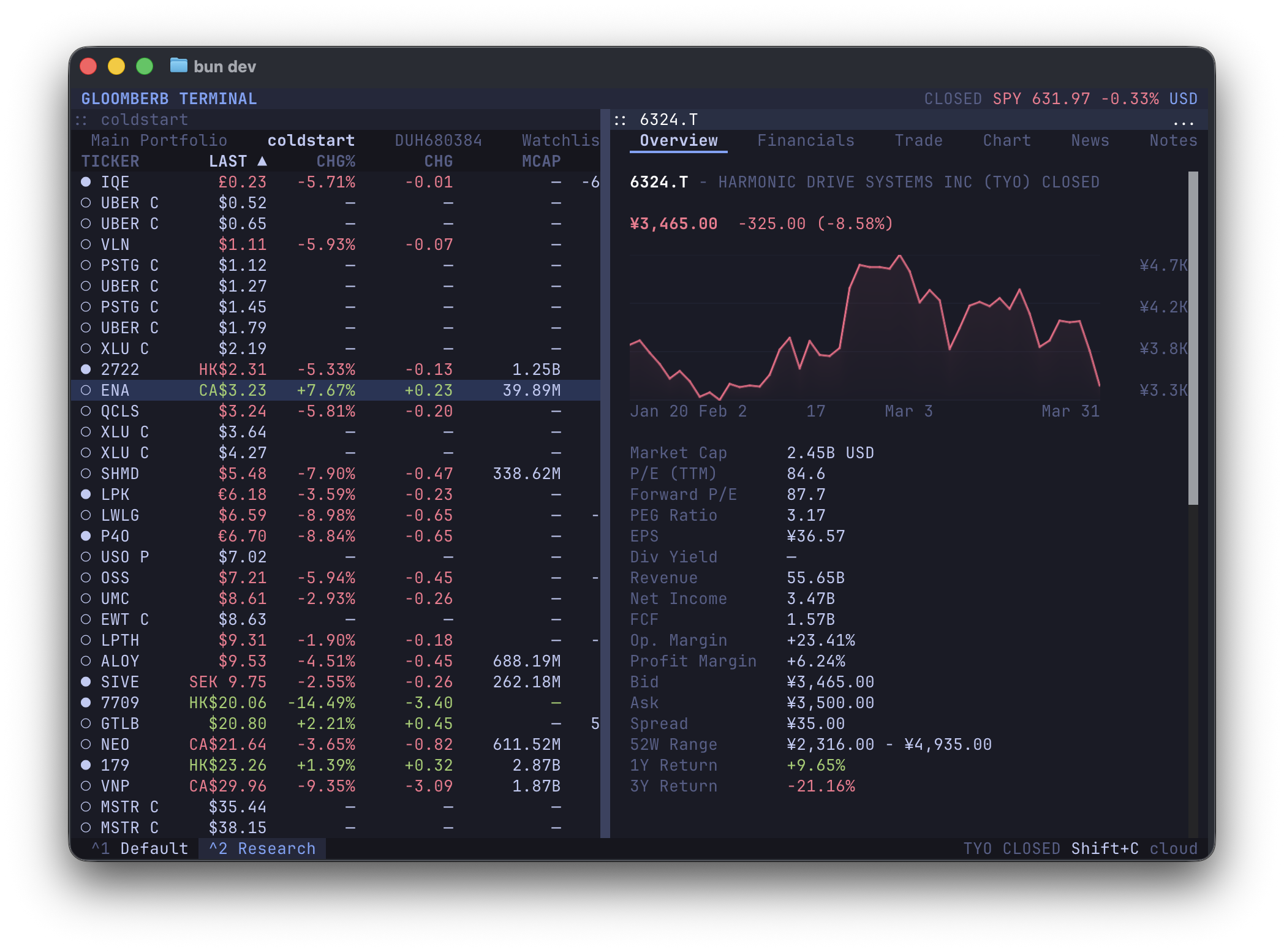
Gloomberb has two ways in:
| Surface | Best for | How it runs |
|---|---|---|
| Desktop app | A polished app window, pop-out panes, OS shortcuts, and built-in updates | Published for macOS and Windows. It also installs a gloomberb terminal command for the TUI. |
| Terminal UI | Fast keyboard workflows inside your terminal, SSH/dev boxes, Linux machines, and script-friendly setups | Runs with gloomberb on macOS, Linux, and Windows. |
Both share the same command language, plugin system, market data surfaces, portfolios, watchlists, alerts, notes, and AI tools.
Install the desktop app and the gloomberb terminal command:
brew install --cask vincelwt/tap/gloomberb
# or
curl -fsSL gloomberb.com/install | bash
Both install Gloomberb.app and a gloomberb command that runs the TUI through the app bundle, so the bundled runtime is stored once.
Prefer a direct download?
Install the standalone TUI binary:
curl -fsSL gloomberb.com/install | bashThis installs gloomberb to ~/.local/bin by default. A Linux desktop package is not published yet.
Install the desktop app:
The installer supports Windows 11 on x64 and ARM64. On ARM64, the desktop app and its bundled gloomberb terminal command use Windows' built-in x64 emulation.
For a terminal-only setup on x64, install Bun and use the package:
bun install -g gloomberbAlready have Bun installed on any supported OS?
bun install -g gloomberbThen run:
gloomberbOn macOS and Windows, desktop updates replace the installed app in place and keep the terminal command pointing at the updated runtime. Homebrew users can also update through brew upgrade --cask gloomberb.
For the best terminal experience, use a Kitty-compatible terminal such as Ghostty, Kitty, or WezTerm.
Live TV in the terminal also requires mpv with Kitty video output. Gloomberb resolves the stream in JavaScript and runs mpv with its yt-dlp integration disabled, so yt-dlp is not required.
Open command mode with Ctrl+P, then type a command. Press ` to open ticker search directly.
| Try | Opens |
|---|---|
DES AAPL |
Security details |
GP NVDA |
Price chart |
G AAPL:price, MSFT:revenue |
Mixed-series chart |
TOP |
Ranked market stories |
HM |
Market heatmap |
MOST |
Market movers |
PF |
Portfolios and watchlists |
KELLY AAPL |
Position sizing |
HELP |
Full in-app shortcut list |
- Research companies with quotes, charts, financials, filings, holders, insiders, options, analyst ratings, events, and relative valuation.
- Follow markets with top stories, breaking news, sector feeds, Substack subscriptions, global indices, FX, macro events, yield curves, market movers, and fear/greed.
- Track portfolios and watchlists, connect brokers, set alerts, keep notes, run AI screens, browse prediction markets, and use Gloom Cloud chat.
Running gloomberb with no arguments launches the terminal UI. Normal commands run through a headless CLI path; use gloomberb launch-ui when a script should explicitly open the UI.
Human-readable output is the default. Automation can opt into structured output with --json, --csv, or --ndjson. JSON output favors the richest fetched model available and includes display-column metadata when a command has table columns; CSV and NDJSON use the command's tabular row view. Common global flags include --limit, --refresh, --quiet, --no-color, --dry-run, and --yes.
| Command | Use |
|---|---|
gloomberb |
Launch the terminal UI |
gloomberb launch-ui |
Explicitly launch the terminal UI |
gloomberb help |
Show all CLI commands |
| `gloomberb api list | get |
gloomberb quote <symbols> |
Fetch current quotes |
gloomberb search <query> / provider-search <query> |
Search tickers and provider symbols |
gloomberb ticker <symbol> |
Show quote, ownership, and financials |
| `gloomberb history | financials |
| `gloomberb news | filings |
| `gloomberb movers | indices |
| `gloomberb econ | fred |
| `gloomberb compare | correlation |
gloomberb portfolio [action] |
Manage manual portfolios |
gloomberb watchlist [action] |
Manage watchlists |
| `gloomberb notes | alerts [action]` |
| `gloomberb broker | ibkr [action]` |
| `gloomberb ai providers | ask |
gloomberb rss fetch <url> |
Fetch an RSS feed |
| `gloomberb buildout | congress |
gloomberb provider status |
Inspect enabled data providers |
| `gloomberb config | cache |
gloomberb fn [...] |
Run a pane-backed report command |
gloomberb shot [...] |
Capture a pane-backed screenshot |
gloomberb predictions [...] |
Launch Prediction Markets |
gloomberb plugins |
List installed plugins |
gloomberb install <user/repo> |
Install a plugin from GitHub |
gloomberb remove <name> |
Remove an installed plugin |
gloomberb update [name] |
Update plugins |
Commands that need a signed-in cloud session may return auth_required; sign-in, account management, and chat workflows are still handled in the app UI for now.
Everything from the portfolio list to broker integrations is a plugin. Plugins can add panes, tabs, columns, command bar commands, CLI commands, status bar widgets, and data providers.
Core plugin areas include:
- Portfolios, watchlists, manual entry, and broker connections
- Ticker details, quotes, charts, options, filings, holders, insiders, and research
- News, Substack reader feeds, market movers, global indices, sectors, FX, earnings, macro data, and yield curves
- Prediction markets, alerts, notes, chat, AI screeners, and external plugins
See PLUGINS.md for the plugin API and the shared UI surface available through gloomberb/components.
| Key | Action |
|---|---|
Ctrl+P |
Open command mode |
` |
Open ticker search |
Ctrl+, |
Open focused pane settings |
Ctrl+W |
Close focused pane |
Ctrl+Shift+M |
Move focused window (WIN resize starts resize mode) |
Ctrl+Shift+D |
Dock or float focused pane |
Ctrl+Shift+L |
Layout actions |
Ctrl+Shift+G |
Gridlock all windows |
Tab |
Switch panes |
j / k |
Navigate lists |
h / l |
Switch tabs |
m |
Cycle chart mode |
q |
Quit |
Desktop builds also accept Cmd/Ctrl+K for the command bar, the matching Cmd shortcuts on macOS, Cmd/Ctrl+Shift+O to pop out a pane, and Cmd/Ctrl+Shift+C to copy a focused pane screenshot.
Use HELP inside Gloomberb for the live shortcut list. The common command-bar prefixes are listed here for quick scanning.
| Shortcut | Function |
|---|---|
DES <ticker> / T <ticker> |
Security details for a ticker |
FA <ticker> |
Financial statement view |
G <series> |
Custom chart composer |
GP <ticker> |
Price chart |
GIP <ticker> |
Intraday price chart |
HP <ticker> |
Historical OHLCV prices |
GF <tickers> |
Fundamental statement graph |
GE <tickers> |
Valuation multiple graph |
GR <tickers> |
Security relationship graph |
EE <ticker> |
Events view with earnings and revenue estimates |
EM [tickers] |
Earnings monitor |
SRCH <query> |
Provider symbol search |
QQ <tickers> |
Ticker quote monitor |
CMP <tickers> |
Normalized price comparison |
CORR <tickers> |
Ticker return correlations |
ANR <ticker> |
Analyst targets and ratings |
SEC <ticker> |
SEC filings and company disclosures |
OMON <ticker> |
Options monitor |
HDS <ticker> |
Institutional holders |
13F [fund/ticker/CIK] |
13F fund filings and holdings |
INS <ticker> |
Insider activity |
EVT <ticker> |
Corporate actions, earnings, and estimates |
RV <tickers> |
Relative valuation |
G, GP, GIP, CMP, GF, and GE all open the same chart composer with different starting presets. A custom expression can mix unrelated data sources on one synchronized timeline:
G AAPL:price, MSFT:revenue, FRED:CPIAUCSL
Open Series to add, remove, reorder, or hide series and choose each series' field, chart style, transform, axis, panel, period, and panel scale. Price data supports candles, OHLC, HLC, line, and area; scalar data supports its compatible line, area, step, column, and point modes. Panels can use independent left/right axes and linear or logarithmic scales.
The toolbar controls preset or exact date ranges, intervals from one minute through monthly, the primary chart mode, technical indicators, and pair formulas. Indicators include volume, SMA, EMA, Bollinger Bands, RSI, and MACD; formulas include ratio, spread, and rolling correlation. Mixed-frequency values use as-of alignment: fundamentals use filing dates when available, sparse series carry forward only after becoming available, and missing publication dates are called out in the chart status.
| Shortcut | Function |
|---|---|
TOP |
Ranked market stories |
HM |
Market heatmap for large US stocks and ETFs |
MOST |
Top gainers, losers, most active, and trending tickers |
PM <query> |
Polymarket and Kalshi prediction data |
N |
News feed |
CN <ticker> |
Ticker news |
NI |
Sector news |
SUB |
Authenticated Substack reader feed |
FIRST |
Breaking news |
TWIT <query> |
Ticker-related market posts |
TBO |
TheBuildout infrastructure intelligence |
CG |
Congress trading disclosures |
WEI |
Global equity indices |
ECON |
Economic events and releases |
GC |
Yield curve |
ERN |
Earnings calendar |
TV |
Live Bloomberg, CNBC, and Yahoo Finance television |
BI / SP |
S&P 500 sector performance |
FXC |
Major FX cross rates |
FNG |
Fear and greed market gauge |
| Shortcut | Function |
|---|---|
PF |
Portfolio and watchlist workspace |
PORT |
Portfolio risk and sector exposure |
ALRT |
Price alerts |
SA <symbol condition price> |
Create a price alert |
AI <prompt> |
AI screener |
AGENT |
Local AI research workspace |
CHAT [channel] |
Gloom Cloud chat |
DM @user [@user...] |
Open or start a direct or group chat |
ACM |
Gloom Cloud account settings |
NOTE |
Notes |
IBKR |
IBKR trading pane |
BR |
Broker connections |
CHG |
Changelog |
HELP |
Open shortcut and layout help |
AW / AP <ticker> |
Add a ticker to the active watchlist or portfolio |
RW / RP <ticker> |
Remove a ticker from the active watchlist or portfolio |
PS |
Open focused pane settings |
LAY <action> |
Open layout actions |
WIN move|resize |
Move or resize the focused window |
GL |
Gridlock all visible panes |
SB |
Toggle the status bar |
VF |
Toggle quote value flashing |
TH <theme> |
Change color theme |
CR |
Cycle chart renderer |
LANG <locale> |
Change interface language (auto, en, zh-CN, zh-TW, ja, or ko) |
PL <plugin> |
Manage plugins |
Gloomberb includes English, Simplified Chinese, Traditional Chinese, Japanese, and Korean UI support. English remains the default fallback language.
- Automatic detection: supported
LANG/LC_ALLand desktop system locales select the matching interface automatically. - Command switching: enter
LANGin the command bar (Ctrl+P) to cycle languages, or useLANG auto,LANG en,LANG zh-CN,LANG zh-TW,LANG ja, orLANG ko. The choice is persisted inconfig.json. - One-run override:
GLOOMBERB_LANG=ja gloomberb(or another supported locale) takes highest priority in environments that expose process locale variables.
Implementation notes:
- Locale dictionaries live in src/i18n, keyed by the original English UI text. Missing entries safely fall back to English.
- Shared render sinks call
t()/tf()/tc()for pane titles, the command bar, menus, settings, tabs, help, and onboarding. - Finance abbreviations such as BID, ASK, and CHG% intentionally remain in English for terminal conventions and fixed-width alignment.
- CJK wide characters and grapheme clusters are measured by src/utils/format.ts using terminal display-cell widths.
MIT
- OpenTUI for the layout engine